



New QR labels simplify installation and service
Flexit is now introducing QR code labels on all residential units. The goal is to make installation, commissioning, and service easier—while providing quick access to accurate and up-to-date product information.
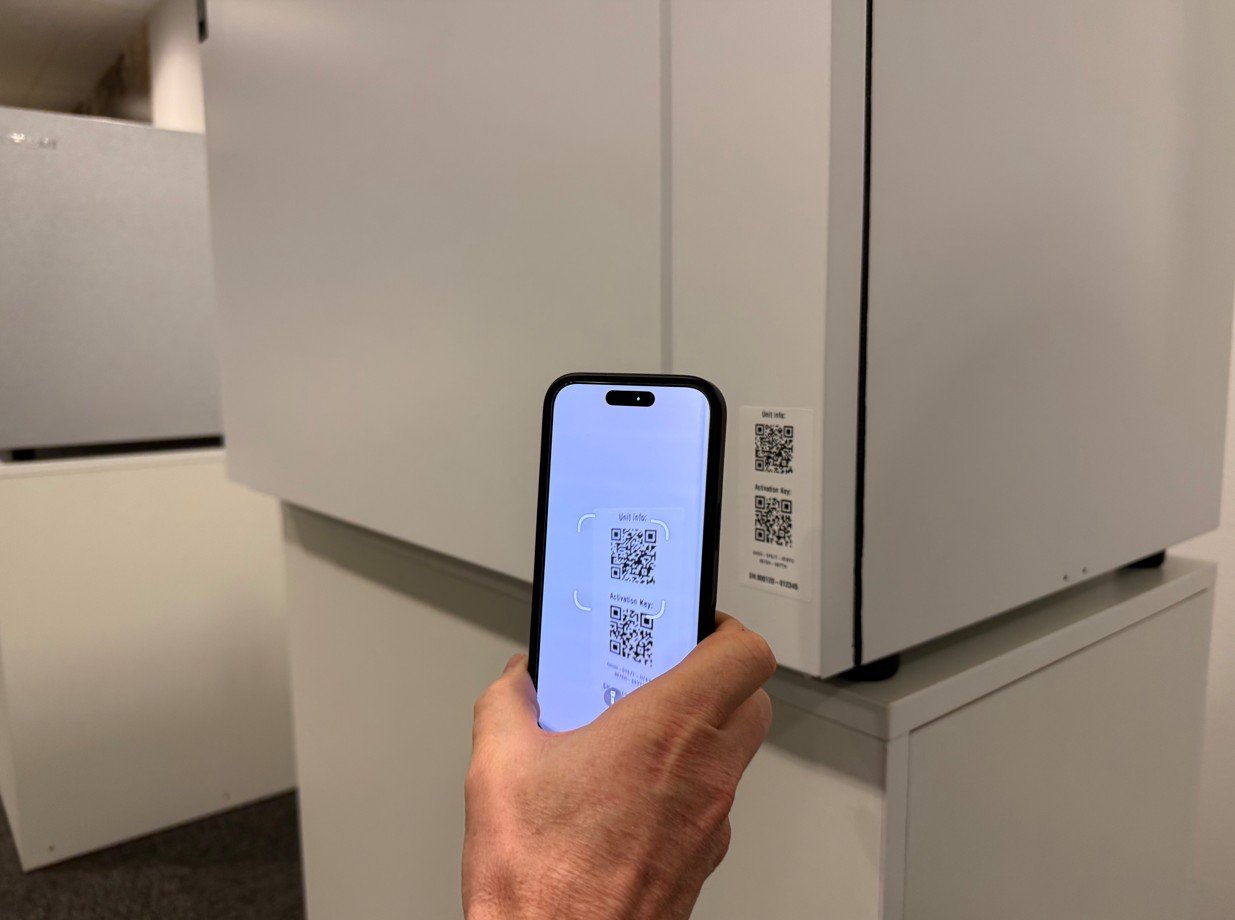
Direct access to product page and serial number–specific information
The upper QR code takes you directly to the unit’s dedicated product page.
The page is language-controlled and adapts to the browser’s language settings on your mobile. On the page, you will primarily find:
- Serial number–specific information
- Operating and alarm information
- Data linked to this specific product and installation
By giving installers and service personnel direct access to the serial number via QR, new opportunities are opened up going forward. Flexit will continuously develop the page to offer even better guidance, troubleshooting, and support processes for installers, end users, and service partners.
End users will, via the QR code, gain access to user manuals and other product information.
QR code for product activation
The lower QR code functions as an activation key to register the unit in the cloud.
By making the label more visible and easily accessible, we expect a higher rate of product registration, which enables faster support and more reliable follow-up throughout the product’s lifecycle.
Placement of labels
The labels are placed:
- On the unit door – easily accessible for both installer and user
- Also inside the unit – as an extra safeguard during service
The label is a removable plastic sticker that does not leave marks. If removed, it is recommended to attach it in another easily accessible location for the user.